
Map gamepad, keyboard and mouse
Turn physical buttons, sticks and triggers into the inputs each game expects, then save the layout with that game's profile.
Handheld Companion for ROG Ally
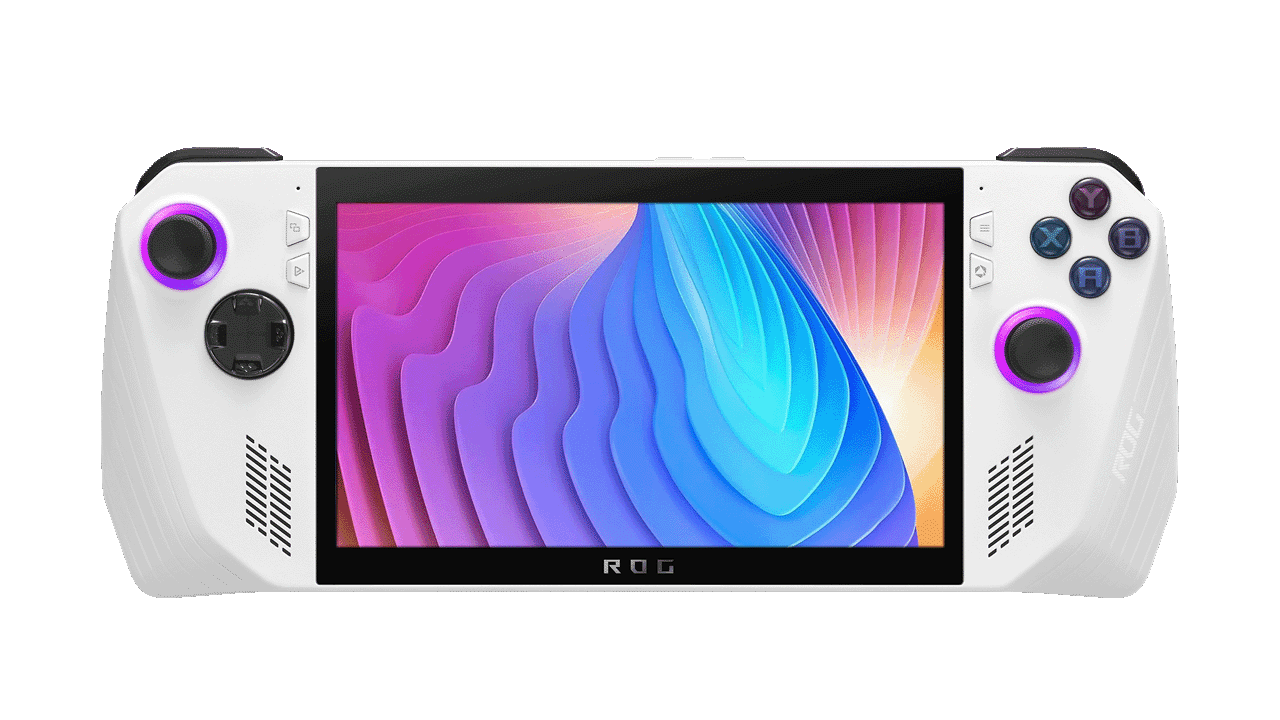
Turn your ASUS ROG Ally or ROG Ally X into a cleaner Windows handheld: map controls, add gyro, tune Auto TDP and switch game profiles from one touch-first interface.
Free public release · Windows 10/11 · Open source
 Gamepad mapperGyro + Auto TDP
Built for the hardware
Handheld Companion connects the controller, motion sensor, power controls and per-game preferences that normally live in separate utilities. The result is a consistent layer across Steam, emulators, remote play and native Windows games.
Verify device support on GitHub ↗Turn physical buttons, sticks and triggers into the inputs each game expects, then save the layout with that game's profile.
Use motion for first-person aim, third-person camera control, racing or emulator input without waiting for native game support.
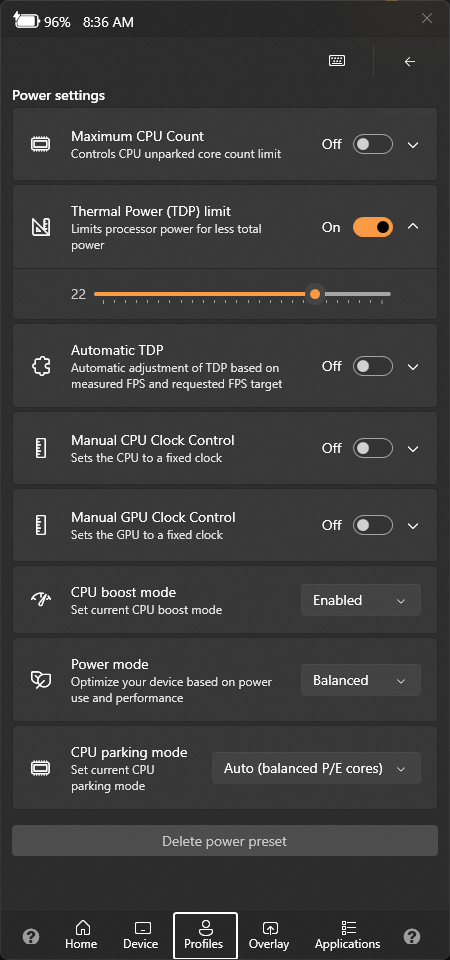
Adjust thermal power, frame limit, display refresh, resolution, brightness and power mode from a compact overlay.
Match the virtual controller to the game, remote-play client or input layer you want to use.
ROG Ally controller software
Create a profile once, then let Handheld Companion detect the active game and apply controller, motion, graphics and power preferences. Open QuickTools without leaving the game when you need a fast change.
Before you switch
Update ASUS firmware, Windows and graphics drivers before diagnosing controller or sensor behavior.
Avoid enabling two controller-remapping or hotkey services at the same time; duplicate inputs usually mean overlapping tools.
Keep a default profile conservative, then tune TDP and motion one game at a time so changes are easy to trace.
Straight answers
Yes. Both ASUS ROG Ally and ROG Ally X are included in the official supported-device list.
Handheld Companion exposes TDP and Auto TDP controls through QuickTools, with global and per-game profile settings. Available controls can depend on firmware, drivers and the current software build.
It covers many handheld-focused controller, profile, motion, hotkey and power tasks. Keep OEM firmware tools available and avoid running overlapping controller or hotkey services until you have verified your preferred setup.
Yes. Universal Motion Control can translate the ROG Ally's motion sensor into supported controller input for aiming, camera movement, racing and emulators.
Your controls, your rules
Start with the public release, then build one profile around the way you actually play.