
Read the hardware
Connect and identify the physical handheld controller, buttons, sticks, triggers and supported motion sensor.
Gamepad mapper for Windows
Map controller buttons to keyboard and mouse, create a virtual Xbox 360 or DualShock 4 controller, add gyro aiming and save it all per game.
Controller remapping software
Handheld Companion keeps the physical device, mapping rules, virtual controller and active game profile visible as separate decisions.
Connect and identify the physical handheld controller, buttons, sticks, triggers and supported motion sensor.
Assign buttons, keyboard keys, mouse actions, deadzones, hotkeys and motion behavior.
Present an Xbox 360 or DualShock 4 controller to the game and hide the physical device when appropriate.
Save controller, power, graphics and motion choices with a game that can be detected automatically.
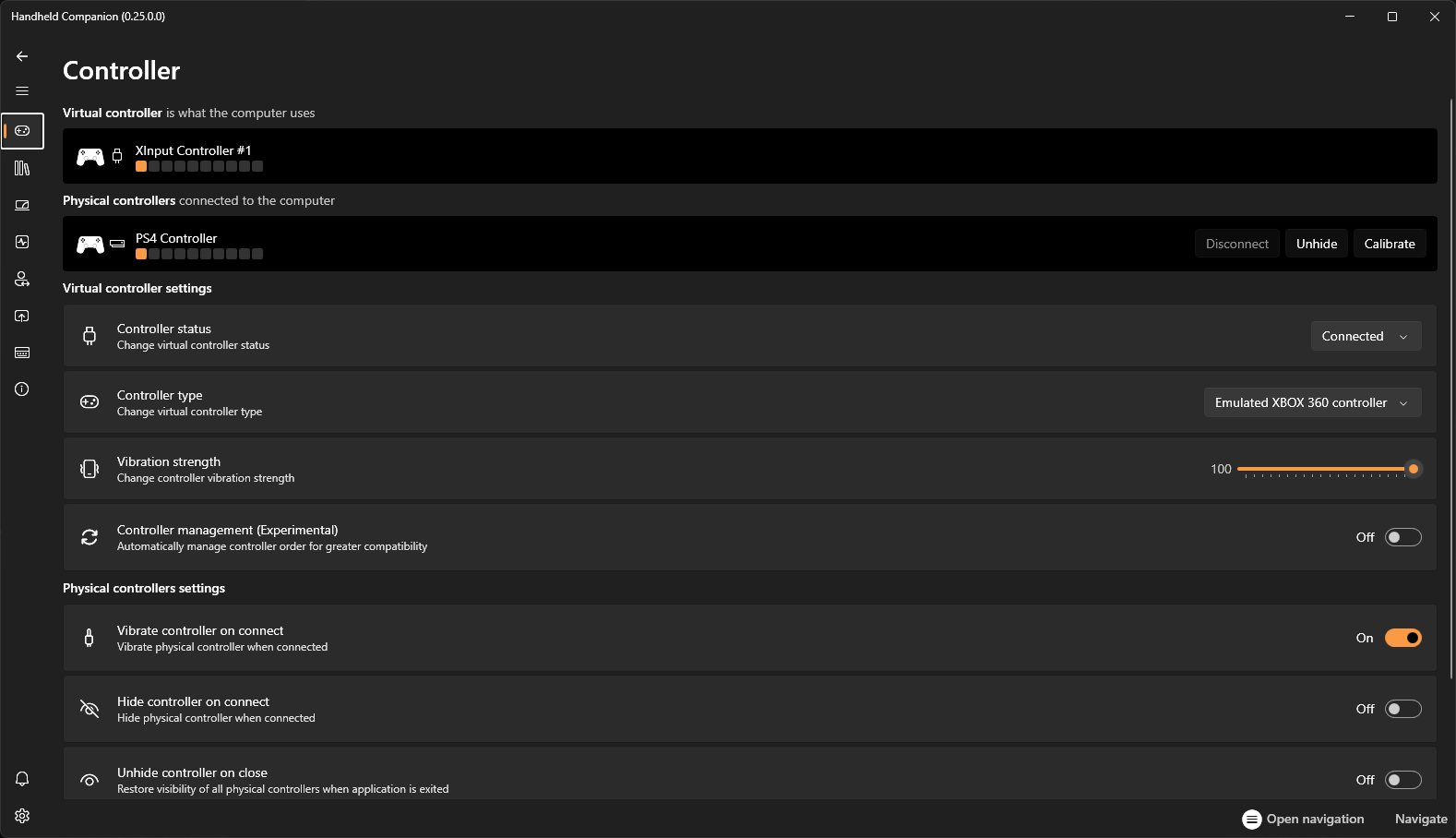
Virtual controller
Older games, modern stores, emulators and remote-play clients do not always recognize the same physical controller. A virtual output makes the device look like a familiar Xbox 360 or DualShock 4 controller.
Gyro controller PC setup
Universal Motion Control translates supported IMU data into camera, joystick or protocol output. Build a gentler curve for exploration, a faster response for aiming, or motion input for supported emulators.
Mapping questions
A gamepad mapper translates physical controller inputs into the keyboard, mouse or virtual controller actions an app expects. Handheld Companion can keep those mappings inside global or per-game profiles.
Yes. It supports gamepad remapping to mouse and keyboard as well as controller buttons, joysticks and triggers, with deadzone adjustments.
Yes. Handheld Companion can simulate a Microsoft Xbox 360 controller or a Sony DualShock 4 controller for broad game and remote-play compatibility.
Universal Motion Control reads a supported IMU or external sensor and translates movement into controller input. Profiles can tune behavior for first-person, third-person, racing and emulator use.
Map once, play often
Start with the default profile, then give each game only the changes it needs.